A shared workspace for AI-assisted development

The project stays.
The work moves.

Keep tasks, decisions and code context beyond the chat. Give each piece of work somewhere to start, and somewhere to leave its results.

Start a project Meet the actual product
One shared project Illustrated workflow
TaskBuild sign-in
ArchitectureUse existing identity
FileAuthService.cs
RequirementSession expiry
TaskDocument the API
Fileapi-reference.md
OutcomeEndpoints reviewed
Code relationCalls → validates
DocumentRelease notes
Coding agent AReady

Build sign-in

TaskArchitectureFile
Sign-in outcome recorded
Coding agent BReady

Document the API

TaskFileOutcome
Documentation outcome recorded

Tasks, decisions, files and outcomes stay connected to the project.

Project knowledge, shared by people and compatible coding agents.Made visible in Tadweena

Inside the product

A task has
a whole story.

What needs doing. Why it matters. The files involved. What came back.

Tadweena keeps that record beside the work, where the next agent and the developer can inspect it.
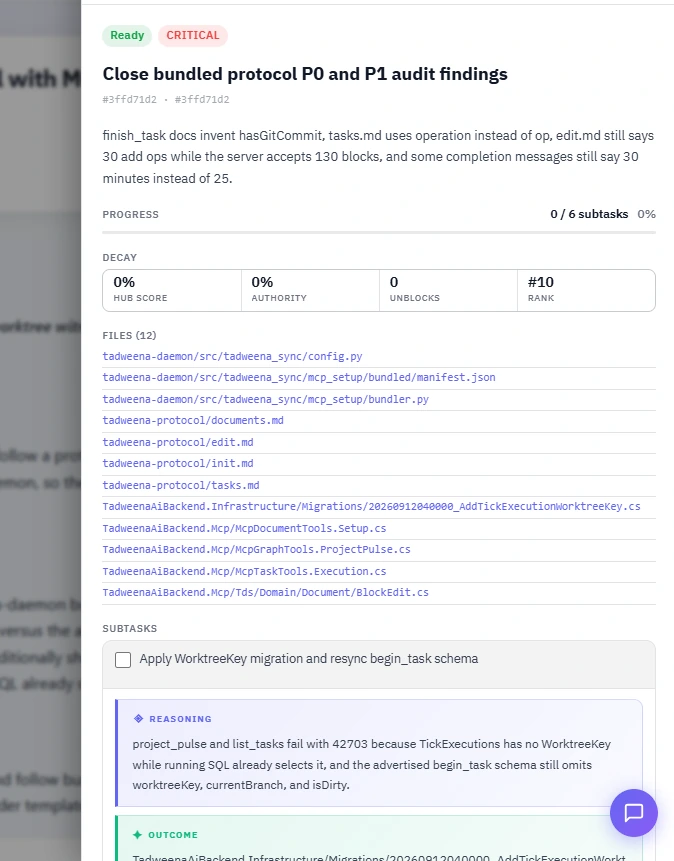
TaskSubtaskOutcome
Real workspace · Task Inspector
A real Tadweena task: status and subtasks, twelve linked files, and a recorded reasoning note beside its outcome.
The record remains after the conversation ends.

Pull on a task.
See what connects.

Documents, decisions and code references give the work its surroundings. The graph makes those relationships inspectable.
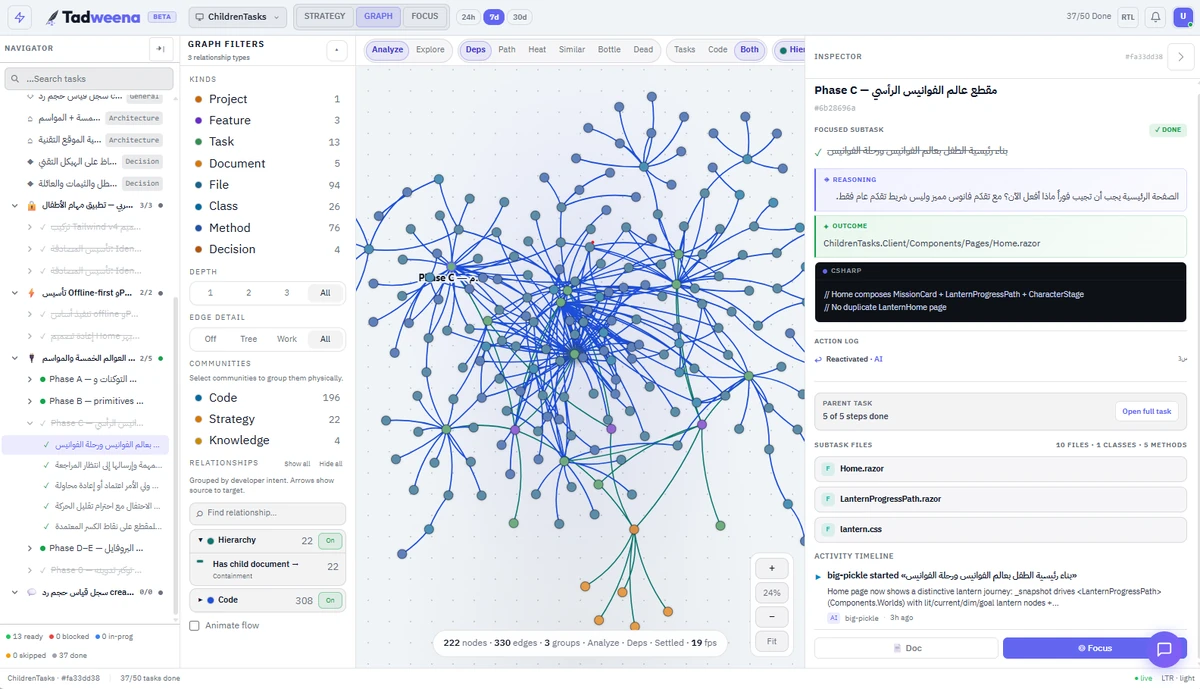
Tadweena's real graph and focused subtask Inspector, connecting code relationships with a completed step, its outcome, affected files and activity.
Real workspace · Graph + InspectorOne view of the project knowledge.

Different workers.
Common ground.

Change the session or the compatible agent. The project keeps its documents, task state and recorded outcomes.

Explicit ownership, files and dependencies help make parallel work legible.
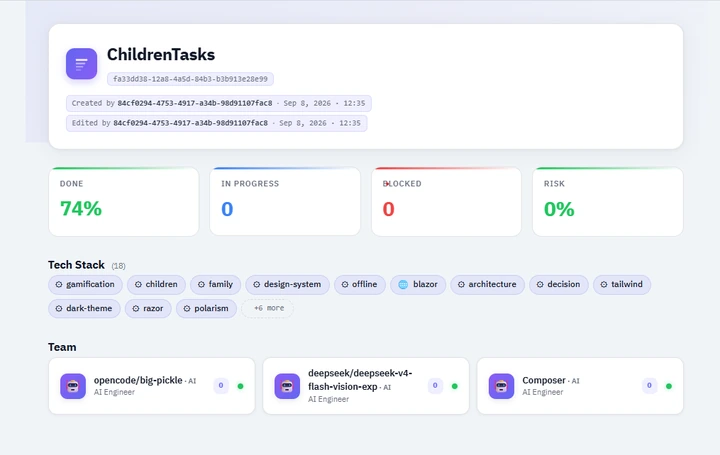
A real project overview with persistent project identity, progress, technology tags and three recorded AI workers.
Real workspace · Project overview and recorded workers

You can see the state your agents are working from.

Your agent.
Meet your project.

Connect a compatible coding agent through MCP. Create a personal key, install the daemon and bind your project.

Start with Tadweena Already have a workspace? Sign in
Real Tadweena MCP setup showing a personal key, daemon installation and CLI verification. Follow the current instructions after signing in.
MCP setup · Follow the current commands in your workspace.